
How Should I Choose a Professional Handyman for Smart Home Installation?
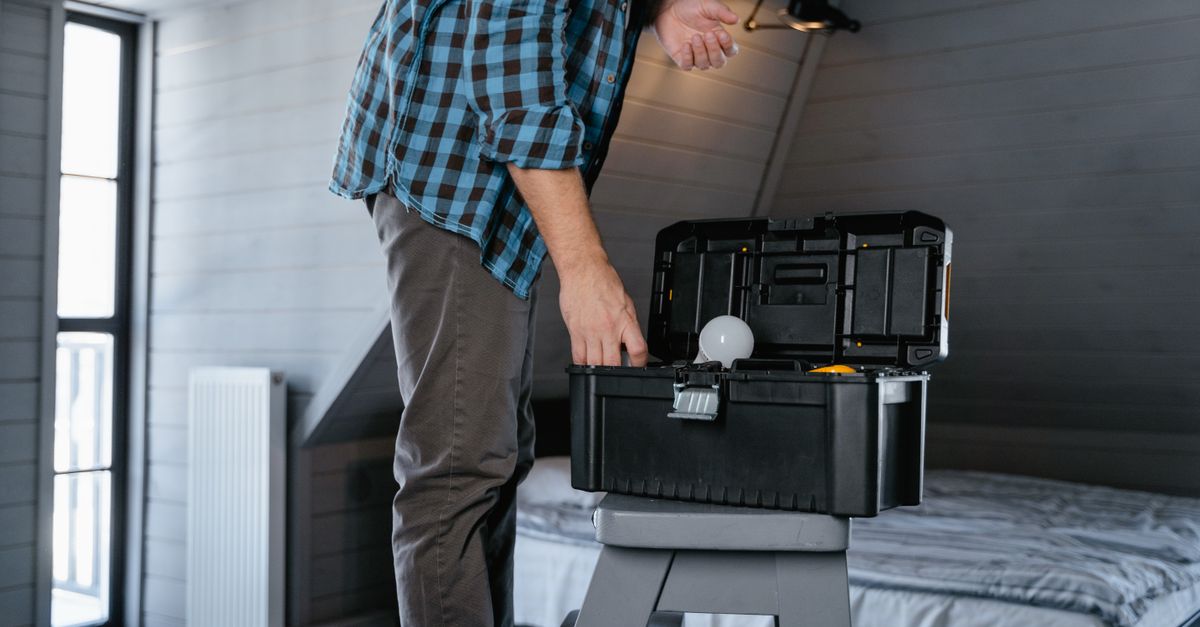
Smart home technology is no longer optional; it’s becoming an integral part of modern property management. However, installing and maintaining these systems requires more than DIY tinkering. The choice of professional handyman can make the difference between seamless automation and costly headaches. In this article I’ll walk through what to look for in a service provider, how they fit into broader maintenance plans, and why custom fixes matter.
Understanding Smart Home Installation vs Traditional Maintenance
Smart home installation is fundamentally about integrating digital controls—thermostats, lighting, security cameras—into an existing electrical and structural framework. Traditional maintenance focuses on physical upkeep: HVAC servicing, roof repairs, plumbing checks. While the two disciplines share some overlap, smart systems demand a different skill set: knowledge of network protocols, firmware updates, and cybersecurity best practices.
When evaluating a handyman, ask whether they have experience bridging these worlds. A technician who can troubleshoot a Wi‑Fi outage as easily as replace a leaking pipe will save you time and money in the long run. For instance, if your smart thermostat fails to communicate with the central hub during a power surge, a professional familiar with both electrical rewiring and network troubleshooting can quickly isolate whether the issue is a blown fuse or a corrupted firmware file.
Selecting a Professional Handyman for Smart Devices
The first step is to confirm credentials that align with both electrical work and IT integration. Look for certifications such as:
Handyman Credential Checklist
- Licensed electrician or equivalent permit – ensures compliance with local safety codes.
- Certified smart‑home installer (e.g., HomeAdvisor Pro, SmartHome Installer Association) – indicates formal training in device ecosystems.
- Experience with Wi‑Fi mesh systems and home automation platforms – guarantees knowledge of optimal placement and interference mitigation.
- Evidence of recent projects—client testimonials, before/after photos – provides proof of practical expertise.
- Understanding of data privacy regulations relevant to security cameras and sensors – protects your residents’ personal information.
A qualified professional will also communicate clearly about scope, timelines, and warranties. They should be comfortable explaining how each device fits into the overall ecosystem and what future upgrades might look like. When you’re ready to hire, request a detailed proposal that lists every task, material cost, and expected completion date so there are no surprises.
The Integration Process: From Assessment to Activation
Smart home installation typically follows a structured workflow:
Step‑by‑Step Installation Sequence
- Site survey and electrical load assessment – verifies that existing panels can handle added devices.
- Network topology design (Wi‑Fi coverage, wired backhaul) – maps out where access points should sit to avoid dead zones.
- Selecting compatible devices (thermostats, cameras, smart plugs) – matches hardware with your chosen platform.
- Physical installation: wiring, mounting, firmware flashing – ensures all components are physically secure and software ready.
- Configuration of control interfaces (mobile app, voice assistants) – sets up user-friendly access for occupants.
- Testing and commissioning—ensuring all nodes communicate reliably – confirms the system works as intended before handover.
Throughout this process the handyman must coordinate with your property manager or contractor to avoid conflicts with other maintenance tasks. If a smart thermostat installation is scheduled alongside an HVAC service, timing is critical. A common approach is to install the thermostat during a routine HVAC check, allowing the technician to verify that the new device does not interfere with the existing heating and cooling controls.
Ongoing General Property Maintenance for Smart Homes
Smart systems introduce new maintenance layers:
- Firmware updates—ensuring devices run the latest security patches; most vendors release monthly bug fixes that can improve stability.
- Network monitoring—checking signal strength and interference sources to maintain consistent connectivity.
- Battery replacements for battery‑powered sensors—many motion detectors or door contacts require a simple battery swap every 6–12 months.
- Data backup of configurations to cloud or local storage—protects against accidental resets or firmware corruption.
- Periodic audit of user permissions on connected accounts—prevents unauthorized access and keeps account security tight.
These tasks are usually low effort but high impact. A professional handyman can schedule routine check‑ins that align with your existing maintenance calendar, preventing drift and reducing the risk of system failures. For example, a quarterly review might involve scanning Wi‑Fi channels for interference from neighboring networks or verifying that new firmware updates have been applied across all cameras.
Home Maintenance Plans: DIY vs Service Contracts
Deciding between a DIY approach and a formal service contract hinges on several factors:
- Frequency of updates: Smart devices often require monthly or quarterly firmware patches.
- Technical expertise: If you lack IT knowledge, a contract provides peace of mind.
- Budget constraints: DIY saves upfront costs but may lead to higher long‑term repairs.
- Property size: Larger homes with multiple zones benefit from centralized monitoring.
A well‑structured maintenance plan typically includes quarterly system health checks, annual security audits, and a response window for urgent issues. When drafting such a contract, ensure it specifies scope, response times, and cost escalation clauses. For instance, a “24‑hour on‑site” clause guarantees that any critical failure will be addressed within one business day, while an escalation clause protects you from unforeseen labor rate increases.
Custom Home Fixes: Tailoring Solutions to Unique Needs
Every property presents unique challenges—non‑standard wiring, legacy appliances, or aesthetic constraints. Custom fixes often involve:
- Reconfiguring existing circuits to support additional smart outlets without overloading panels.
- Installing low‑profile sensors in historic windows where traditional mounting would be intrusive.
- Integrating proprietary HVAC controls with third‑party automation platforms.
- Creating custom dashboards that consolidate alerts from multiple device brands.
When a handyman offers these bespoke solutions, they demonstrate adaptability and problem‑solving skills. I’ve seen projects where a simple rewire saved the homeowner $2,500 in potential HVAC repairs by preventing overheating during peak demand cycles. In other cases, wireless bridges were installed to bypass outdated conduit, allowing a modern smart lock to function without extensive rewiring.
Cost Considerations and Return on Investment
In my experience, the initial investment for smart home installation averages between $5,000 and $12,000 depending on system complexity. However, the long‑term savings come from reduced energy usage—typically 10–15% annually—and lower maintenance costs thanks to predictive monitoring.When evaluating a professional handyman, factor in:
- Labor rates (often higher for certified installers) – reflects specialized skill set.
- Device warranty coverage – ensures replacement or repair without extra cost.
- Potential discounts for bundled services (e.g., installing multiple systems together) – can lower overall spend.
- Future upgrade paths—do they support new protocols like Thread or Matter? – protects your investment against obsolescence.
A thorough cost‑benefit analysis usually shows a payback period of 2–4 years, after which the system’s value is largely in added convenience and peace of mind. Additionally, some municipalities offer rebates for energy‑efficient devices, further reducing upfront expense.
The most critical takeaway: choose a handyman who combines electrical expertise with smart‑home certification, ensuring both physical integrity and digital reliability.What is one area of your property that you believe would benefit most from a smart home upgrade, and why?


